Requests go through approval and approved ones are gathered in a list. Supplier prices are compared in one table, and the chosen prices become a separate purchase order for each supplier.
Sold as an add-on; included in Enterprise. Details
app.noyax.com
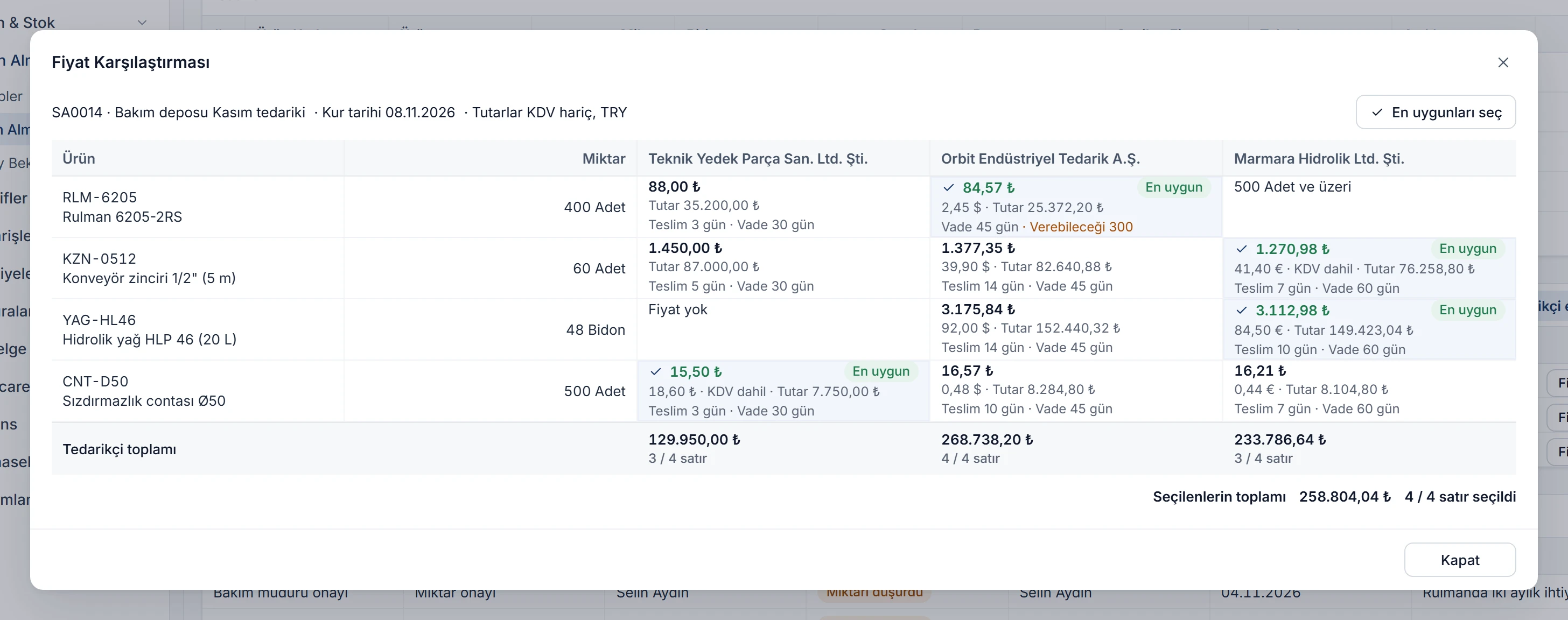
Three offers, three currencies, one comparison
Suppliers quote in dollars, euros or lira; some include VAT, some offer quantity breaks. Noyax converts every offer into a unit price excluding VAT at today's rate and marks the lowest in each line. Tap a price to change the choice; the orders split by supplier on their own.
Tap a price; tapping the selected price again clears the choice.
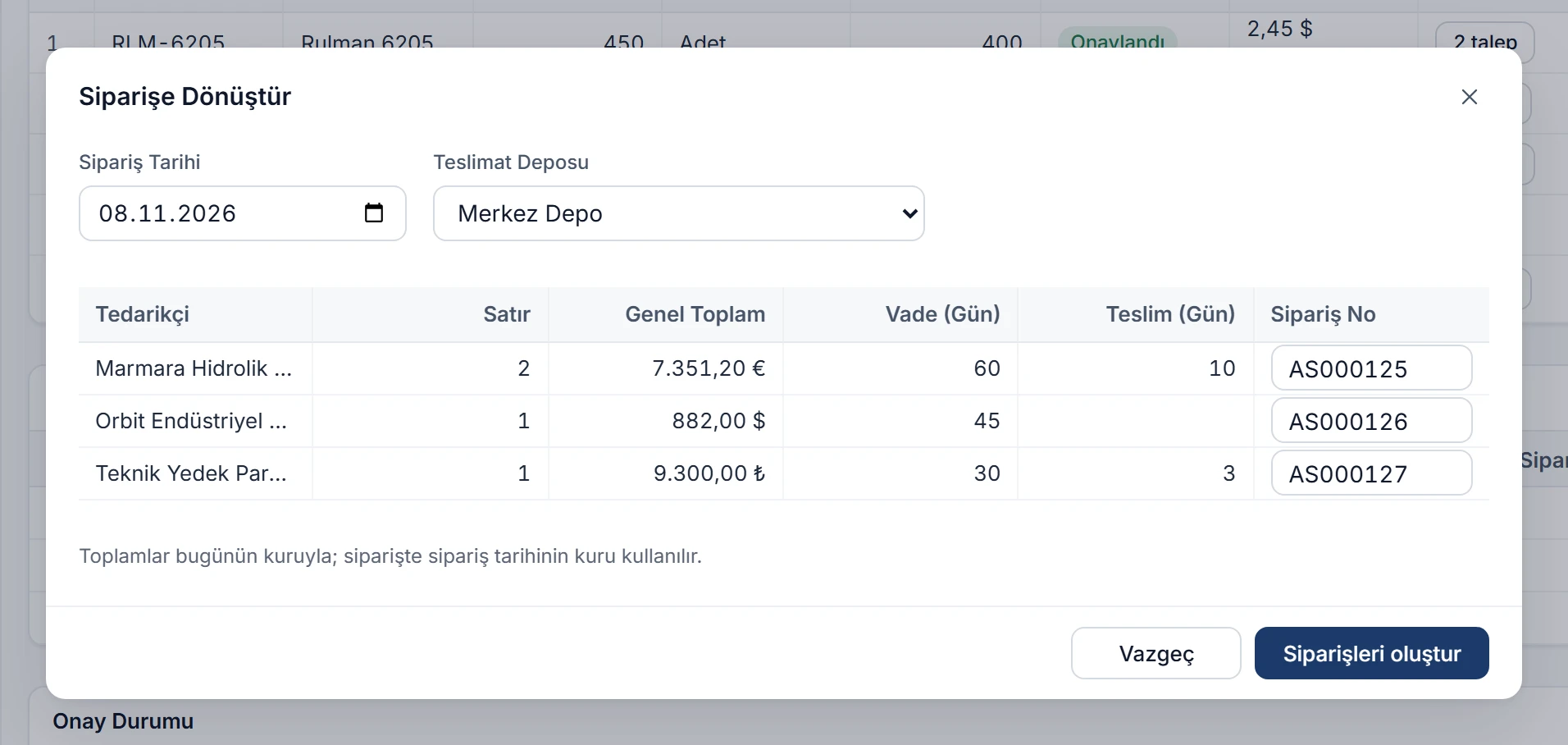
When converted to orders 3 purchase orders
Marmara Hidrolik Ltd. Şti.2 lines
Conveyor chain 1/2" (5 m)60 pcs
Hydraulic oil HLP 46 (20 L)48 drums
Grand total (VAT incl.)7,351.20 EUR
Payment 60 days · Delivery 10 days
Orbit Endüstriyel Tedarik A.Ş.1 line
Bearing 6205-2RS300 pcs
Grand total (VAT incl.)882.00 USD
Payment 45 days
Teknik Yedek Parça San. Ltd. Şti.1 line
Seal Ø50500 pcs
Grand total (VAT incl.)9,300.00 TRY
Payment 30 days · Delivery 3 days
Sample rates: 1 USD = 34.52 TRY, 1 EUR = 36.84 TRY. Offers are compared at today's rate; the order uses the rate of the order date.
Anyone can request, approvers decide
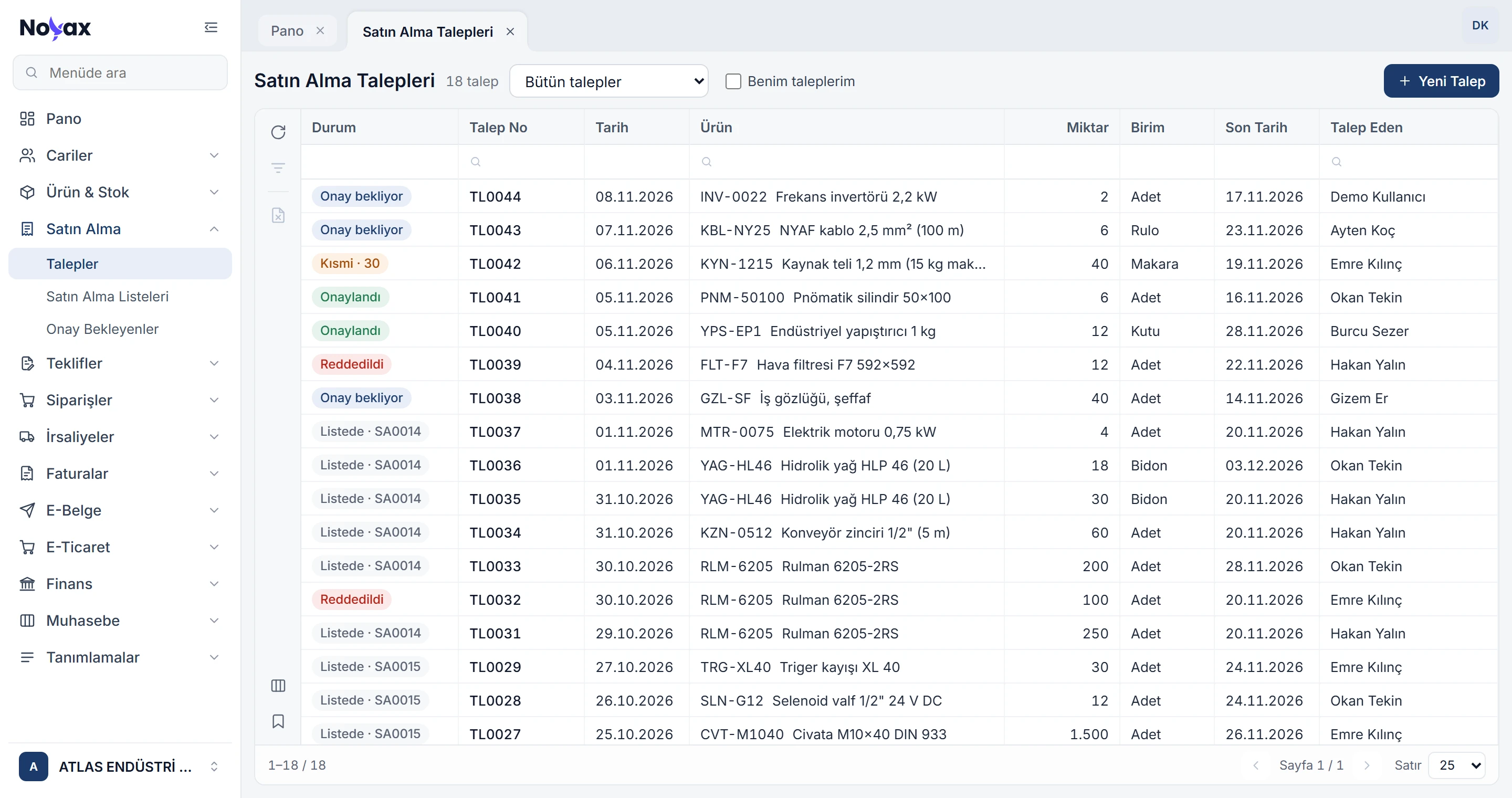
Every user enters what they need as a request with product, quantity and due date. The request goes through the approvers you define, and the list receives the approved quantity, not the requested one.
On-hand and critical stock of the product show while you enter the request.
Each row shows its status: awaiting approval, partly approved, approved, rejected or the list it is in.
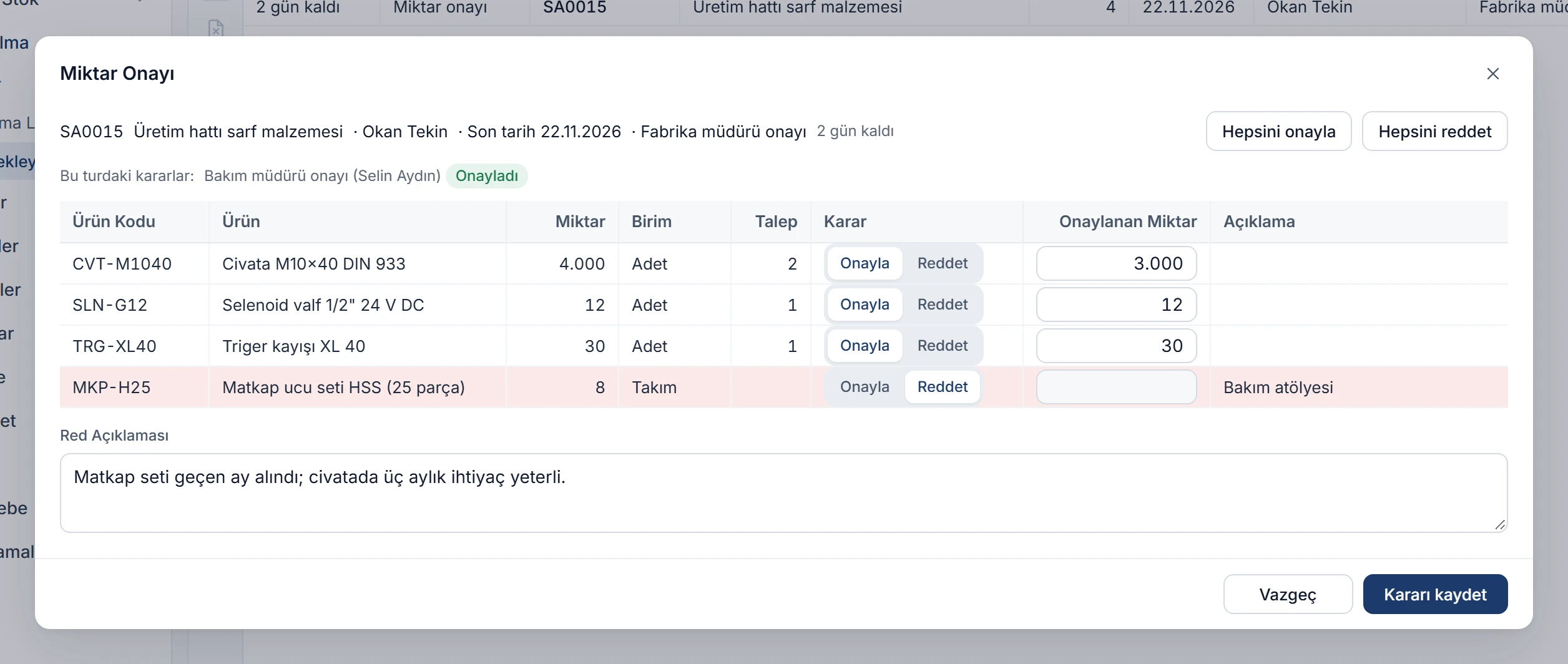
You set up separate approval stages for the request, the list quantities and the chosen prices. An approver approves each line, lowers its quantity or rejects it with a note.
In serial approval each approver waits for the previous one; in parallel approval everyone decides at the same time.
An approver can be a user or a role; an approval past its time limit shows as overdue.
Price approval can have a minimum amount, so small purchases skip it.
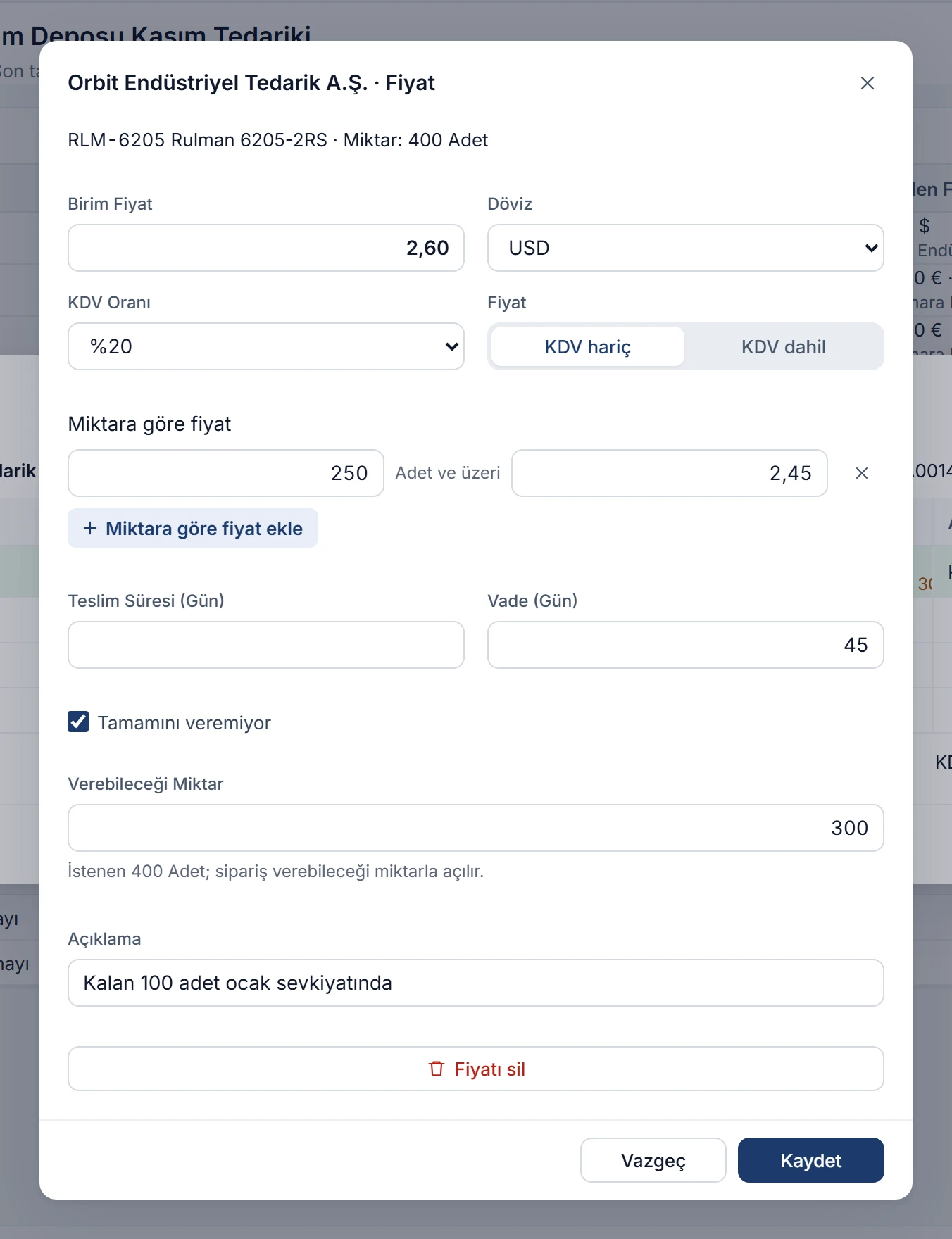
Enter the price in the supplier's currency, with or without VAT. Add quantity breaks for prices that fall as quantity rises, and the quantity a supplier can deliver when it cannot supply everything.
Up to 10 quantity breaks; the one matching the line's quantity applies on its own.
Delivery time sets the line's delivery date on the order, payment terms set the order's due date.
All prices of a supplier and their total excluding VAT in one window.
Requests from different people for the same product merge into one list line; different units such as boxes and pieces are converted to the main unit.
Nearest due date first
If a list quantity is lowered, the approved quantity goes to the requests with the nearest due date first; you can also change the split by hand.
Buying without requests
Requests are optional; you can add products to a list by hand.
Withdraw and revise
A list can be withdrawn from approval as long as nobody has decided. A rejected list is corrected and sent again in a new round.
Only the rejected price again
When a price is rejected, only that line loses its choice; the other lines keep theirs and you pick a new price for that line alone.
Approval time limits
Give each approver a limit in days; the screen shows the days left, Today on the last day and a red Overdue after it.
Stock and accounts at the right time
Requests, lists and approvals do not move stock or customer accounts; stock and accounts change with the receiving note and purchase invoice.
In the mobile app too
Entering requests, approving, comparing prices and converting to orders also work in the Noyax mobile app; requests and lists waiting for you arrive as notifications.
Set purchasing up around your own approvals.
You decide who approves at which stage: request, quantity and price approval each take one or more approvers, and a stage without approvers is skipped. From request to order, each step uses what the previous one already knows; nobody types the same thing twice.
Define your approvers
Enter the approvers for request, quantity and price approval, their order and how long each may take; or work without approvals.
Collect requests
Users enter what they need as requests; approved requests wait to be added to a list.
Open your first list
Add approved requests to a list, enter the suppliers' prices and compare them.

 Türkçe
 Deutsch
 Enlarge image