One Noyax, three languages

Use Noyax in Turkish, English or German: each user picks their own language and the screen changes at once. Your invoices, quotes and statements print in your customer’s language.

Every Noyax account includes language support.

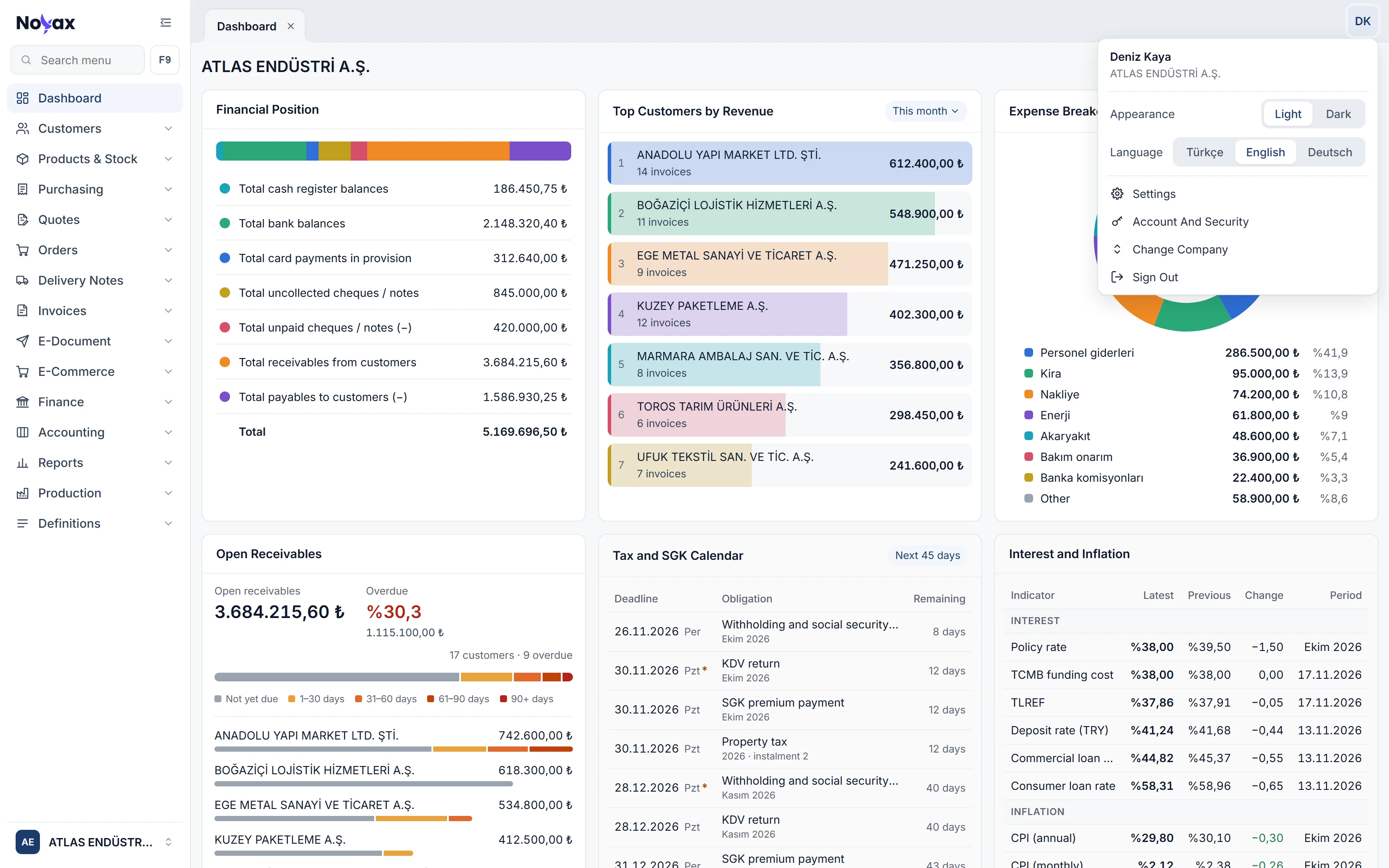
The Noyax dashboard in English with the user menu open: the Language row shows Türkçe, English and Deutsch, with English selected

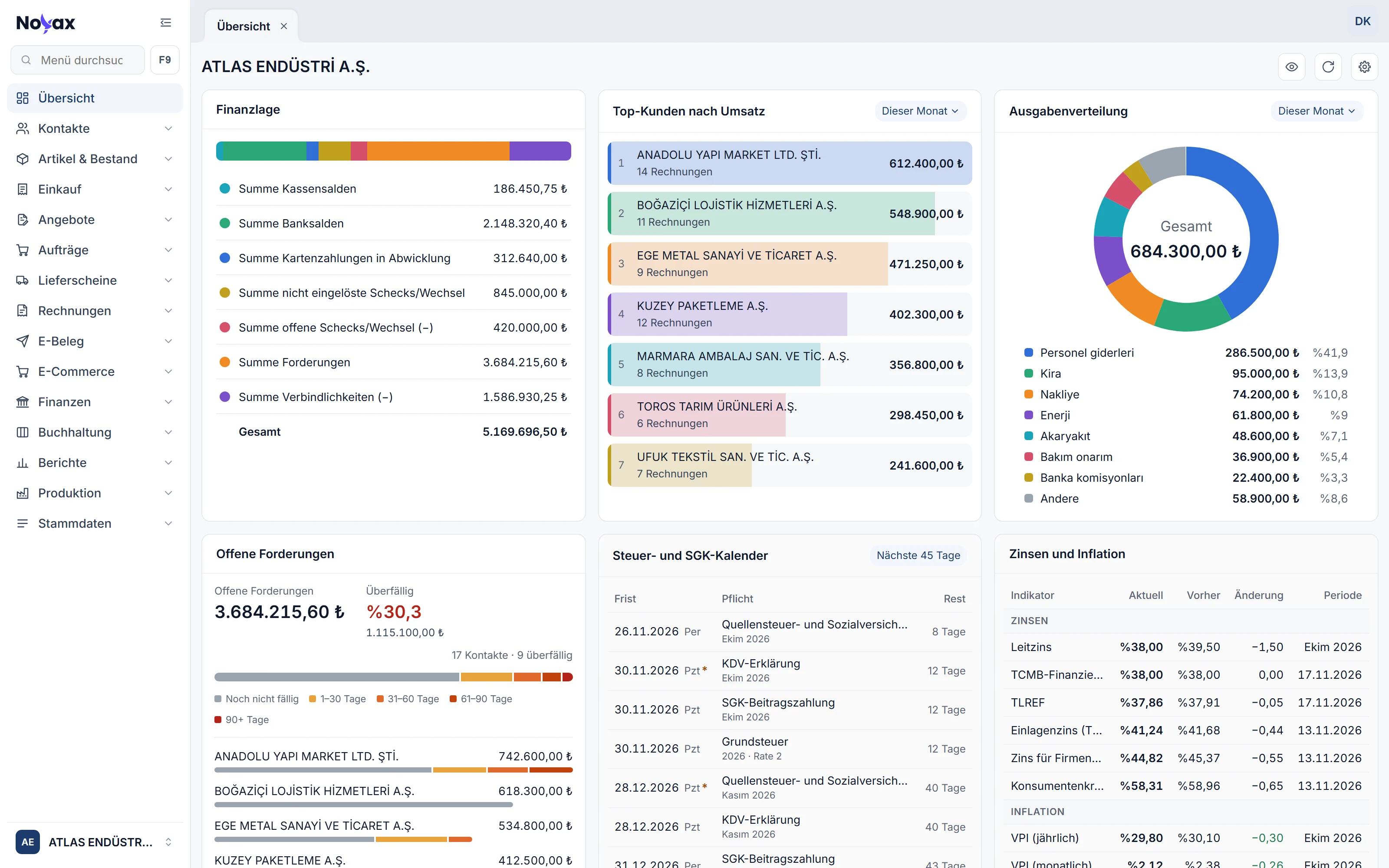
The same screen in three languages

Switch languages and menus, card titles, columns and buttons appear in that language. Your records stay as they are: customer and expense names, amounts and dates don’t change.

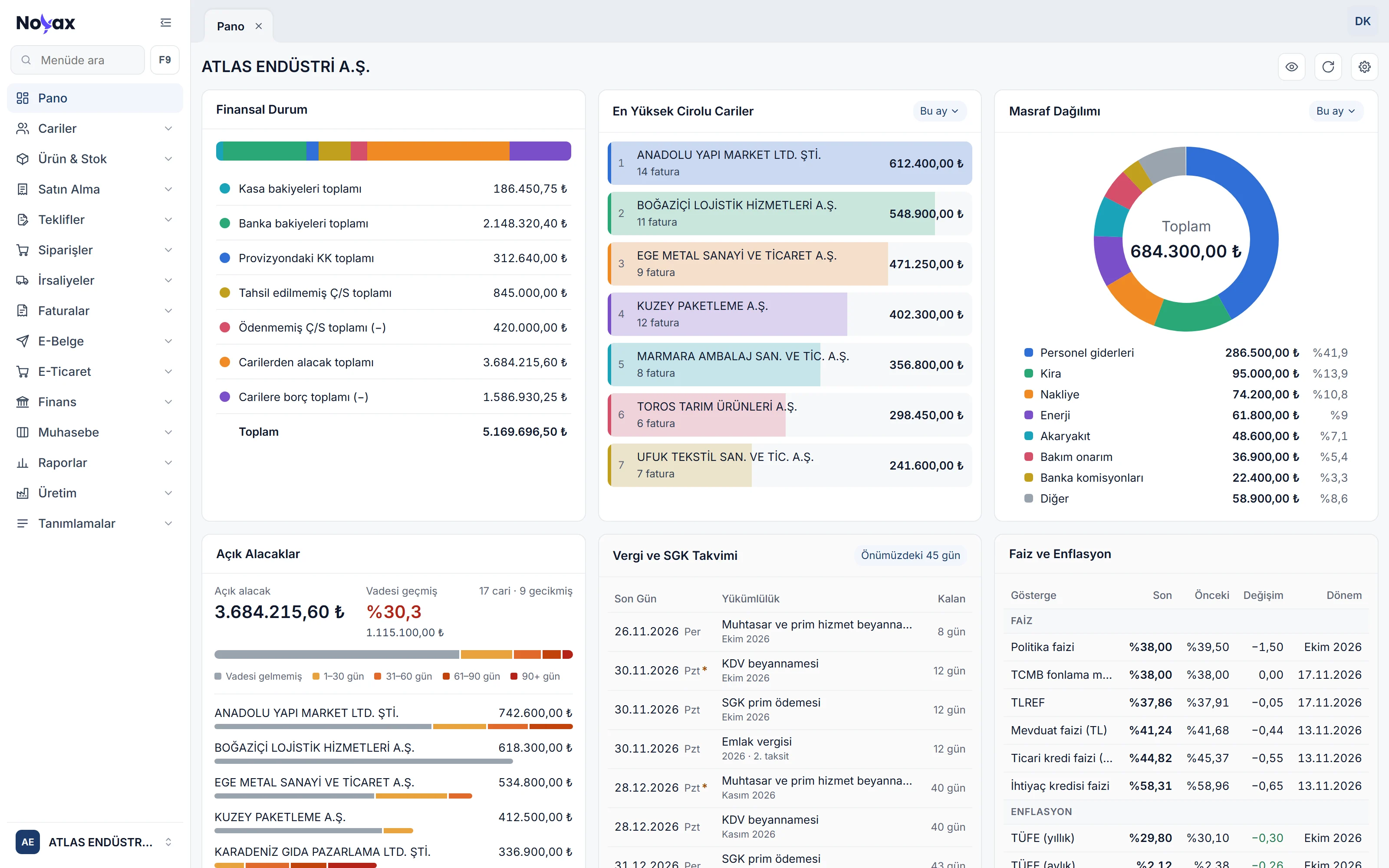
Türkçe Turkish is the program’s source language; every screen is written in it first.
The dashboard in Turkish: Finansal durum, En yüksek cirolu cariler, Masraf dağılımı, Açık alacaklar, Vergi ve SGK takvimi, Faiz ve enflasyon Enlarge image
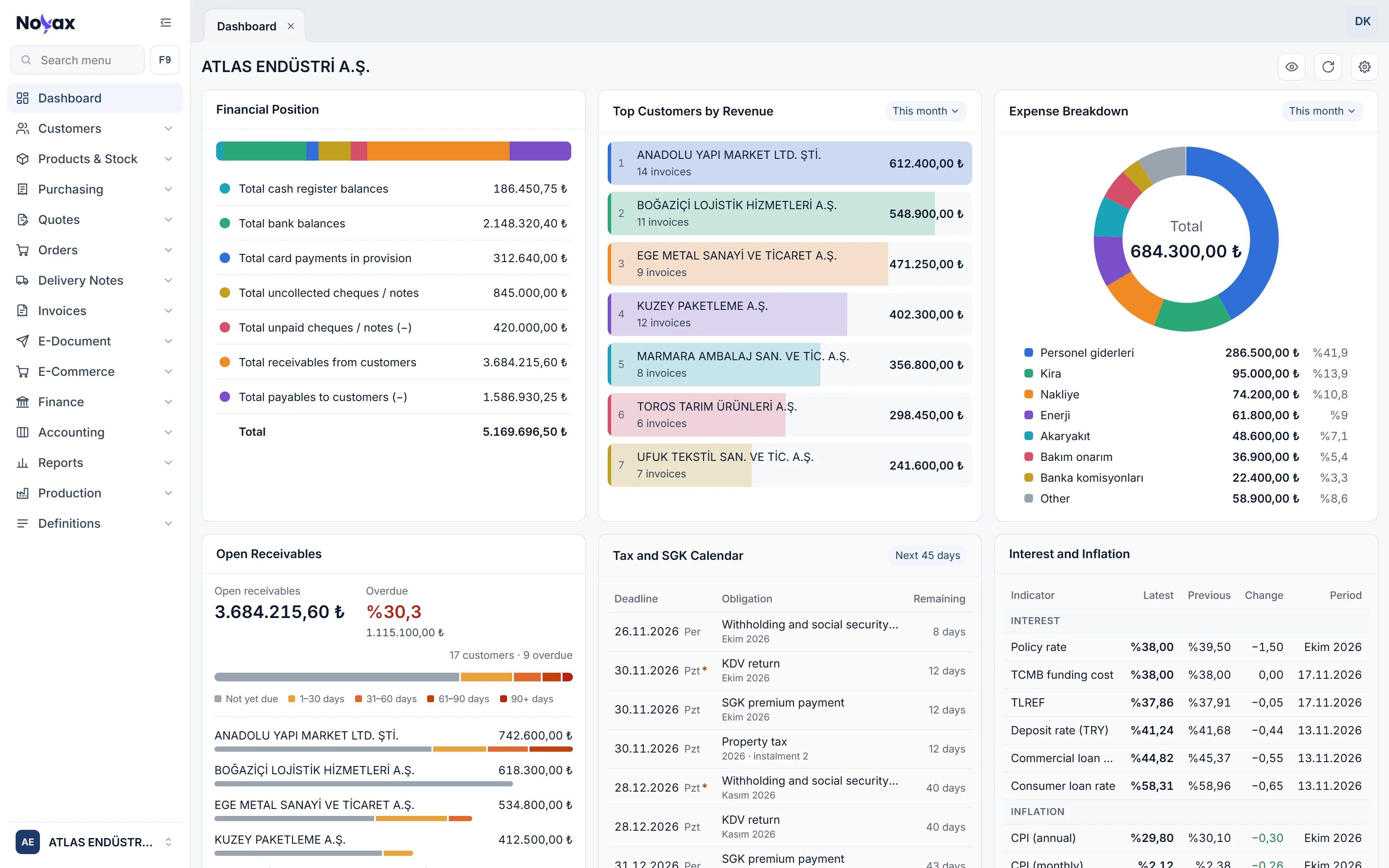
English In English the menu reads Customers, Products & Stock, Invoices, and the start screen is called Dashboard.
The dashboard in English: Financial position, Top customers by revenue, Expense breakdown, Open receivables, Tax and SGK calendar, Interest and inflation Enlarge image
Deutsch In German the menu reads Kontakte, Artikel & Bestand, Rechnungen, and the dashboard opens as Übersicht.
The dashboard in German: Finanzlage, Top-Kunden nach Umsatz, Ausgabenverteilung, Offene Forderungen, Steuer- und SGK-Kalender, Zinsen und Inflation Enlarge image

What’s translated

  • Menus, tabs and buttons
  • List columns, filters and windows
  • Dashboard cards and chart labels
  • Warnings, confirmations and error messages

What stays as it is

  • Number and date format: 1.250,50 and 06.11.2026 in every language
  • Data you enter: customer names, product descriptions, notes
  • Tax codes: additional tax, withholding and VAT exemption names
  • Terms specific to Türkiye: KDV, ÖTV, e-Fatura, e-Arşiv, e-İrsaliye, GİB, VKN, TCKN
  • The user guide in the help panel: Turkish

Every user in their own language

Choose the language from the Language row in the user menu: Türkçe, English or Deutsch. The screen changes at once. The choice is saved to your user: the same on every computer, whichever company you work in.

  • Everyone in the same company works in their own language: your accounting team in Turkish, your partner abroad in English or German.
  • The sign-in screen opens in the language you last used in that browser, and sign-in and verification messages appear in it too.
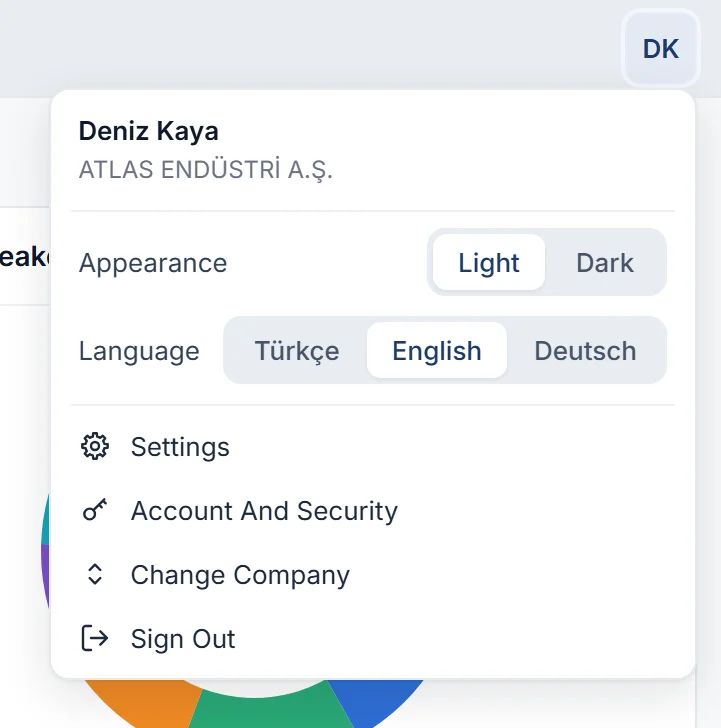
The user menu: Appearance and Language rows; Language shows Türkçe, English and Deutsch, with English selected Enlarge image

Documents in your customer’s language

In the report designer, every design has a report language: Turkish, English or German. Everything the program prints onto the document comes out in that language, so whatever language your screen is in, you send invoices, quotes and statements to customers abroad in theirs.

  • When you e-mail a document, the suggested subject and message come in the report language too.
  • The balance confirmation letter prints in its design’s language as well.
  • Labels you type into the design stay as you wrote them; numbers and dates print as 1.250,50 and 06.11.2026 in every language.
What the program prints on a document, in the three report languages
Text Türkçe English Deutsch
Document name Satış faturası Sales invoice Ausgangsrechnung
Copy Asıl / Suret Original / Copy Original / Kopie
Amount in words (TRY 2,325.76) İki­bin­üç­yüz­yirmi­beş Türk Lirası Yetmiş­altı Kuruş Two thousand three hundred twenty-five Turkish Lira and seventy-six Kuruş Zwei­tausend­drei­hundert­fünf­und­zwanzig Türkische Lira und sechs­und­siebzig Kuruş
Quote status Kabul edildi Accepted Angenommen
Tax breakdown matrah base Bemessungsgrundlage
Receipt title Tahsilat makbuzu Collection receipt Zahlungsquittung
Payment method Havale/EFT Bank transfer Überweisung
Cancelled document İptal Cancelled Storniert
E-mail greeting Merhaba Hello Guten Tag

Program messages in your language too

Warnings, confirmations and error messages appear in the language you chose, so you read what went wrong and what to do in your own language.

  • Türkçe

    Bu fatura muhasebeye aktarıldığı için değiştirilemez ve silinemez.

  • English

    This invoice cannot be changed or deleted because it was posted to accounting.

  • Deutsch

    Diese Rechnung kann nicht geändert oder gelöscht werden, da sie verbucht ist.

Language support in detail

A language per design
Keep separate designs in Turkish, English and German and pick the design when you print or send.
Amount in words
The amount in words is written in the report language, currency and subunit names included: Euro and Cents, Pfund Sterling und Pence.
Filters in every language
Filter empty values in lists by typing (Boş), (Empty) or (Leer); in date filters you can type month names in Turkish, English or German.
Appearance in the same menu
Light or dark appearance is chosen in the user menu too and saved to your user like the language.

Switch languages in one click.

The language choice is in the user menu; there’s nothing to install. Your language is saved to your user and opens the same on every computer.

  1. User menu

    Click your initials or photo at the top right.

  2. Language

    Pick Türkçe, English or Deutsch; the screen changes at once.

  3. Report language

    For customers abroad, set the report language of the report design to English or German.

Try Noyax in your language.

Try it free for 14 days. No credit card needed.