
 Türkçe
 Deutsch
Sales invoice
ATL2026000001172
EGE METAL SANAYİ VE TİCARET A.Ş.
- Net amount
- 40,000.00 TRY
- VAT 20%
- 8,000.00 TRY
- Total
- 48,000.00 TRY
Invoices, finance transactions, warehouse vouchers and cost of goods sold post from a single screen. You see the vouchers before they are created; trial balance, ledger and period-end operations sit in the same place.
Included from Pro. Details
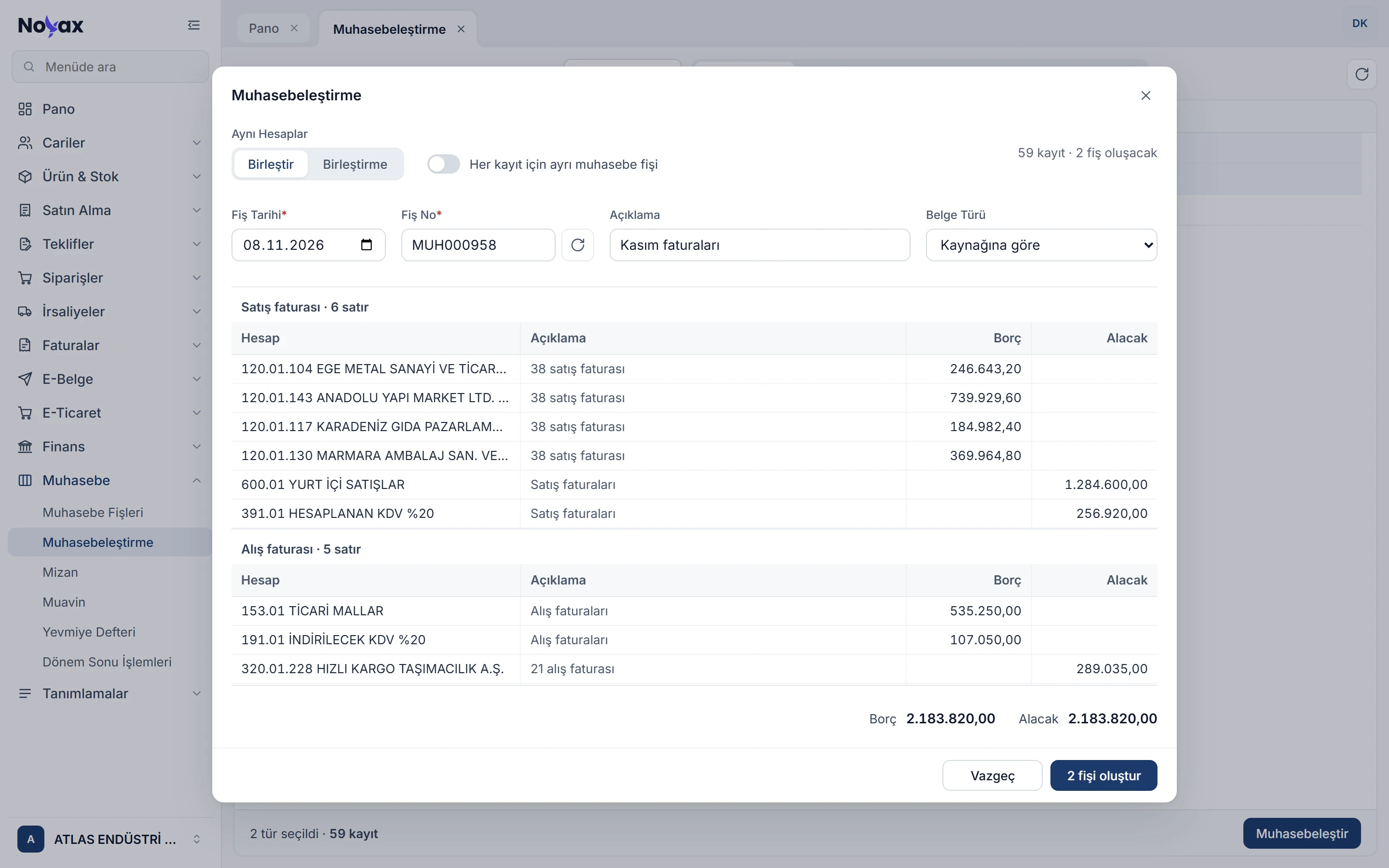
Noyax builds each record’s accounting voucher itself: it finds the accounts in your company’s accounting links and skips any record whose account cannot be found or whose debit does not equal its credit to the last cent. No half vouchers.
ATL2026000001172
EGE METAL SANAYİ VE TİCARET A.Ş.
DMR2026000000418
DEMİRTAŞ ÇELİK TİCARET LTD. ŞTİ.
BNK202600000412
ANADOLU YAPI MARKET LTD. ŞTİ.
CKB202600000065
KARADENİZ GIDA PAZARLAMA LTD. ŞTİ.
KSM202600000233
Main cash desk
KSM202600000234
Main cash desk
An account comes from the record’s own link, otherwise from its group’s link, otherwise from the default account of the link type. The accounts in the example follow the Turkish uniform chart of accounts.
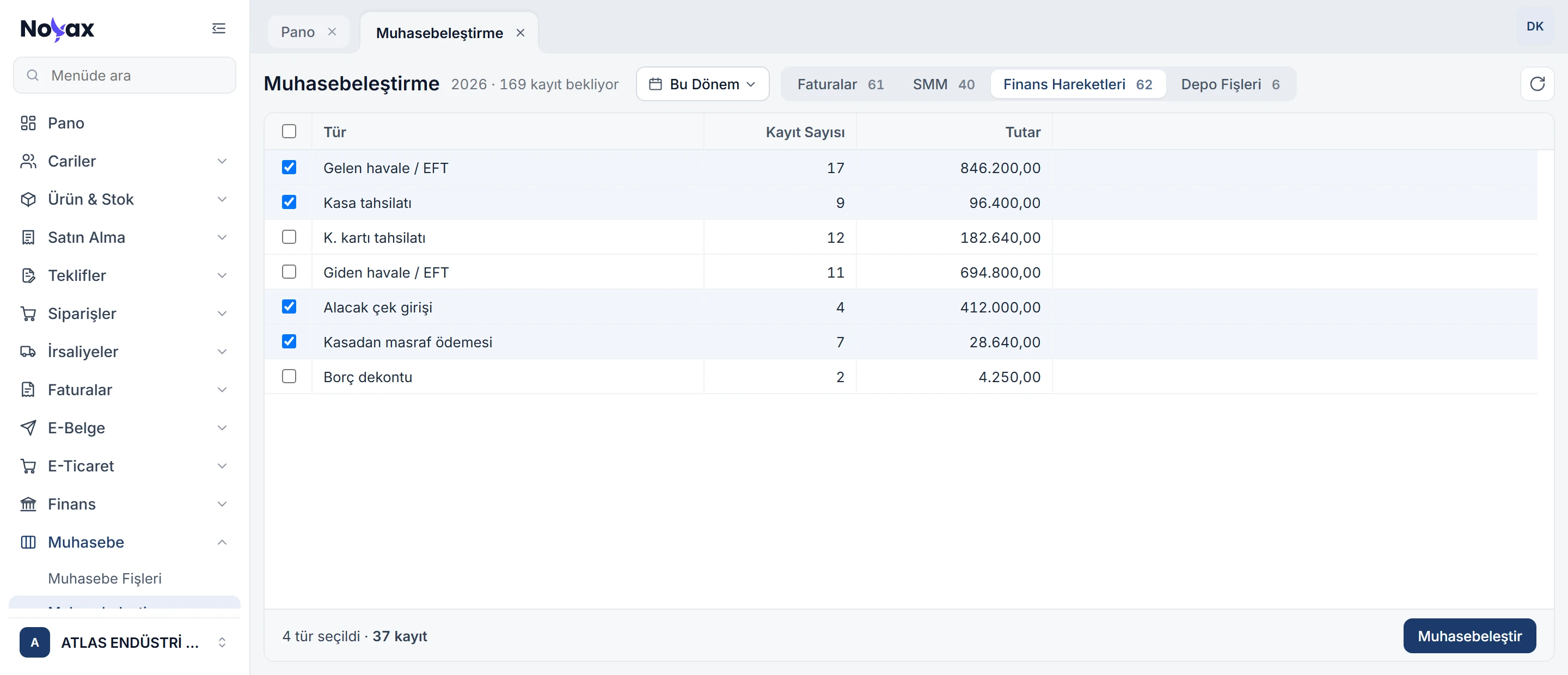
The Posting screen gathers the records in your chosen date range that are not in the books yet, grouped by type on four tabs: invoices, cost of goods sold (COGS), finance transactions and warehouse vouchers. Tick the types and post them all at once.
 Enlarge image
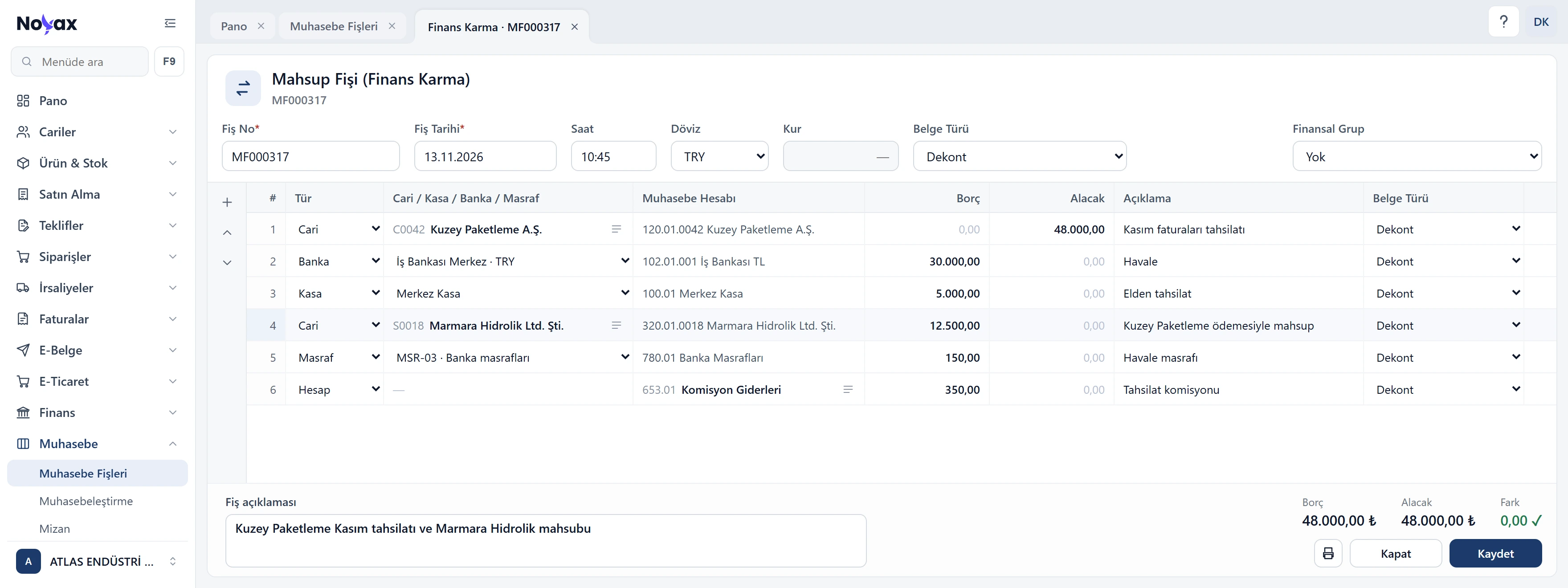
With the mixed finance offset voucher you enter customer, cash, bank and expense transactions in one voucher. When it is saved, the customer, cash and bank transactions are written together with the journal entry, so you never enter the same transaction twice.
 Enlarge image
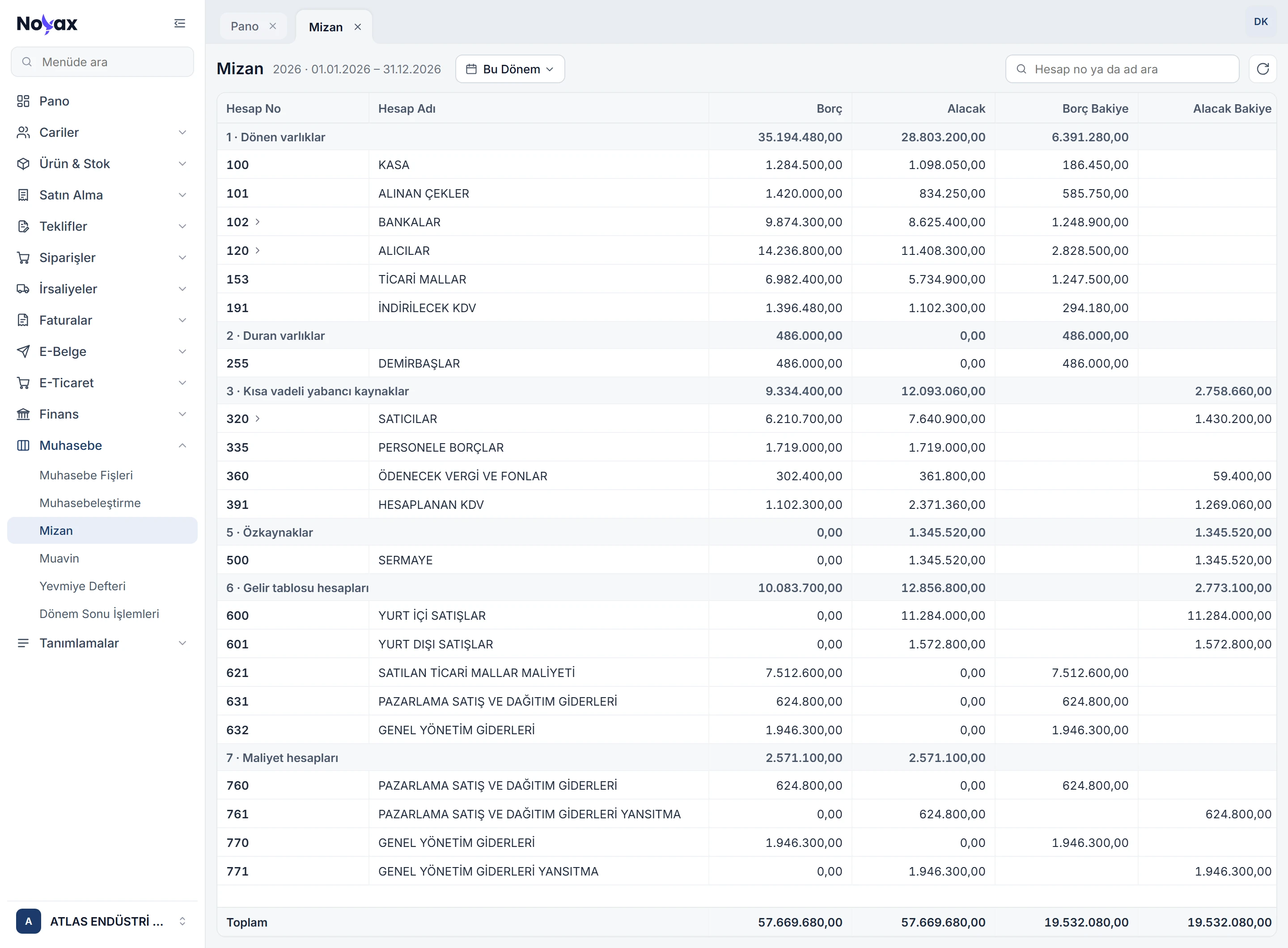
The trial balance shows accounts rolled up with their sub-accounts and grouped by the classes of the uniform chart of accounts. Double-click a row with sub-accounts to go one level down in the same tab; a row without sub-accounts opens its ledger.
 Enlarge image
The ledger shows an account’s entries, with or without its sub-accounts, with a running balance. Brought forward, debit, credit and balance at the top; the newest entry first.
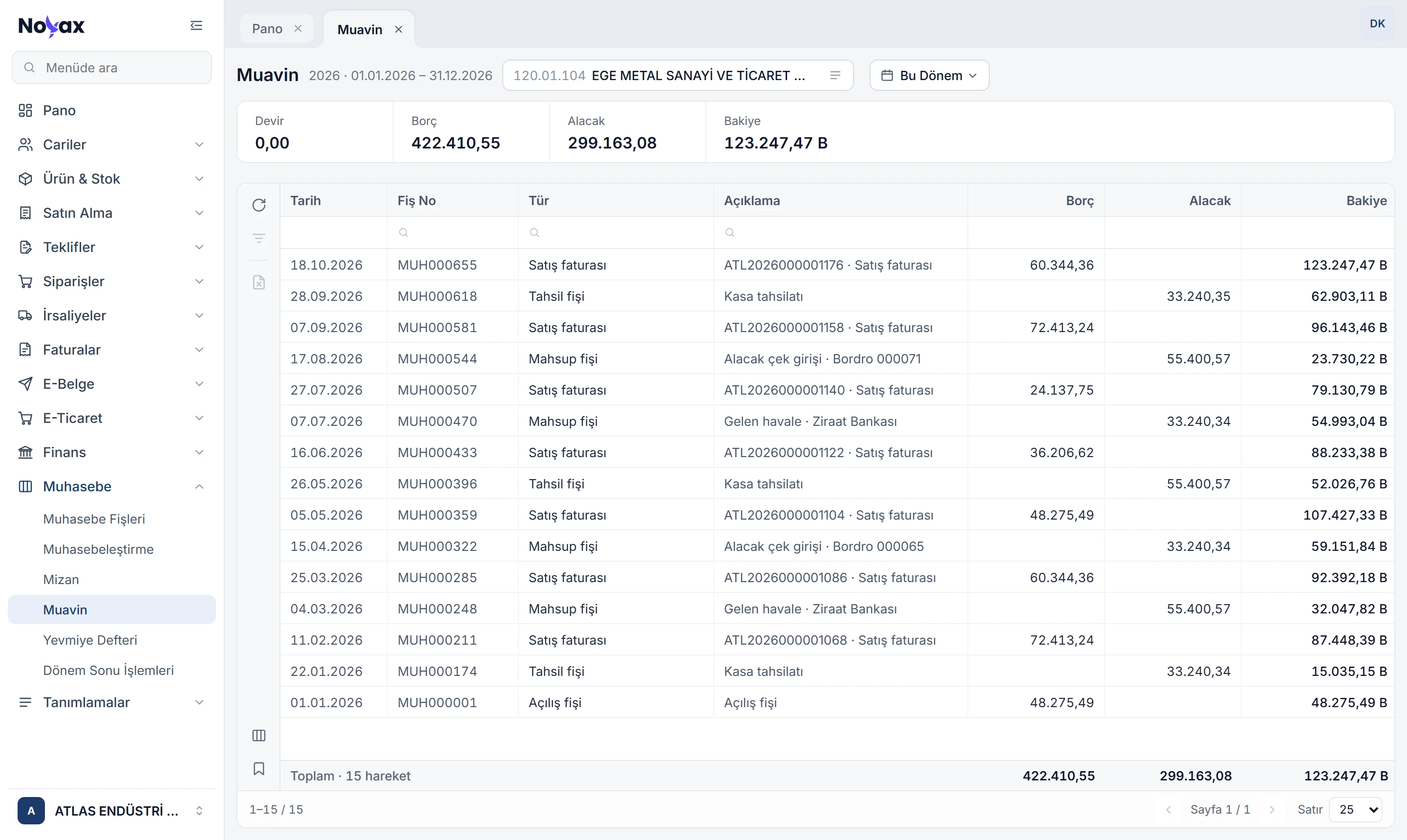 Enlarge image
Cost reflection, income-expense closing, closing voucher and opening voucher on one screen, in order. Each step shows its status and remaining balance; you create the voucher with one button.
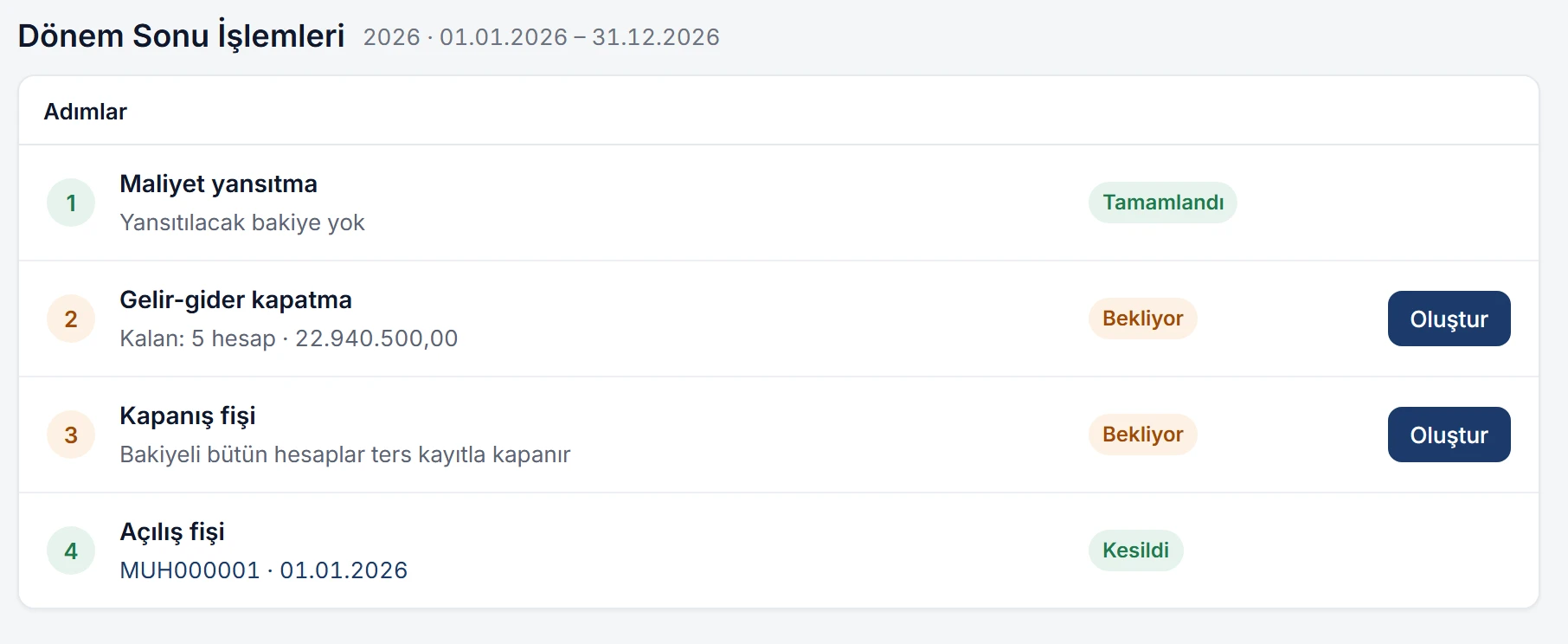 Enlarge image
Every step opens in a preview first: the vouchers to be created are listed with account, debit and credit, and totals at the bottom. Income statement accounts are closed to profit or loss for the period, and from there to net profit or loss.
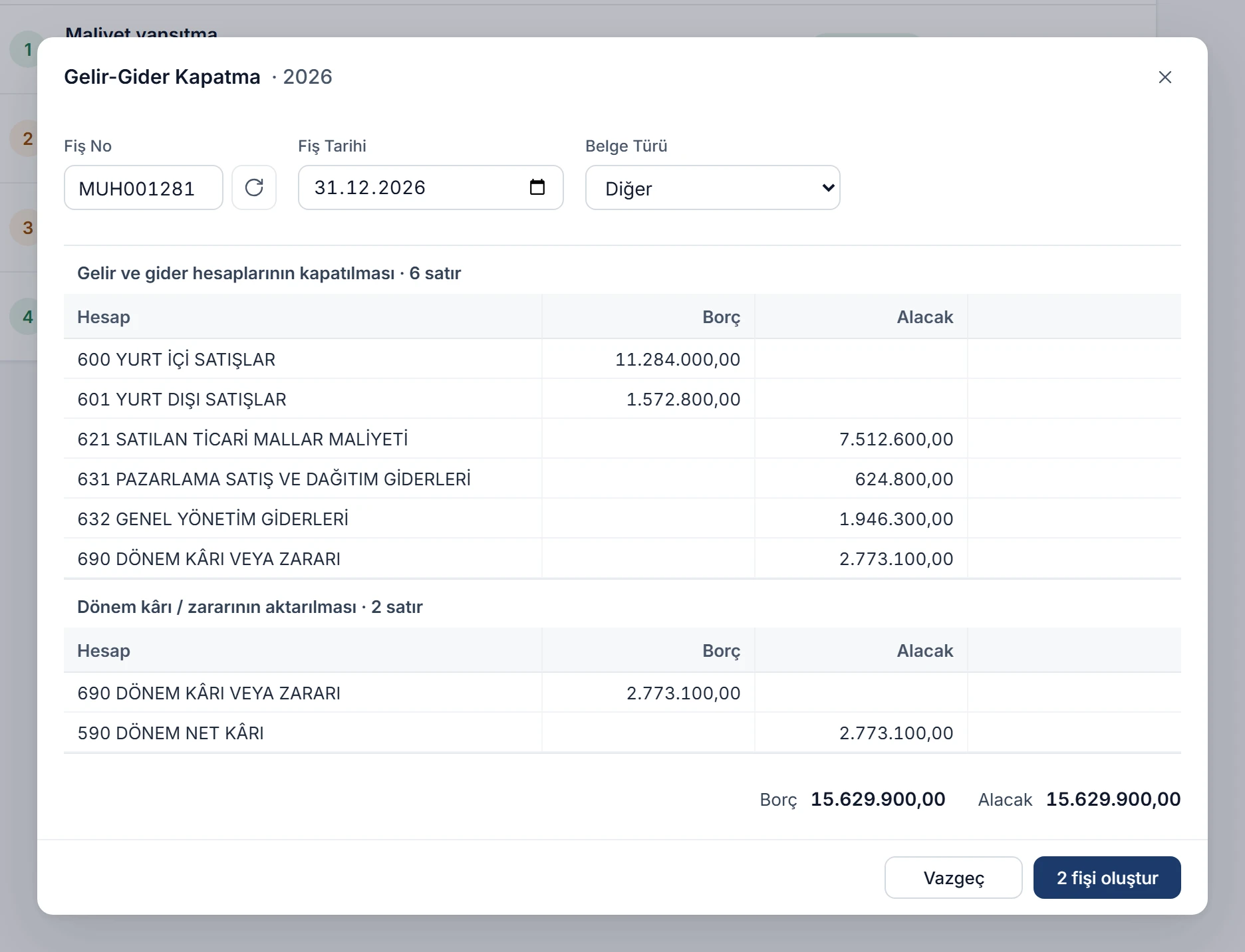 Enlarge image
Invoices, collections, payments and stock records are not exported to another program; accounting vouchers are created from them and stay linked to their source. You open a record’s voucher with a right-click and, if needed, delete the accounting entry and post it again.
Create the uniform chart of accounts with its ready-made links, or copy the previous period’s chart.
Check the accounts for customers, cash desks, banks, VAT, products and expenses, and fill in what is missing.
Preview the period’s records, create the vouchers and check the trial balance.
Try it free for 14 days. No credit card needed.